
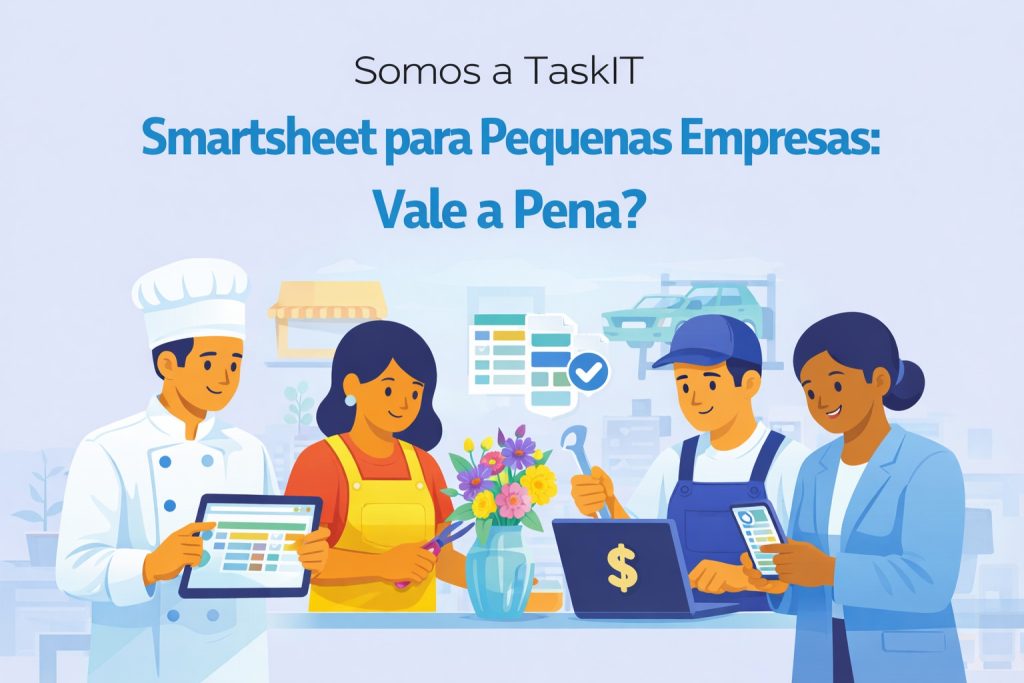
Smartsheet for Small Business: Complete Guide
Are you evaluating the Smartsheet for your small business? This comprehensive guide will help you understand whether the tool is suitable for SMBs, which features are most useful, and how to maximize your return on investment.
What is Smartsheet?
O Smartsheet is a work management platform that combines the familiarity of spreadsheets with advanced project management, automation and collaboration features. Used by more than 90% of Fortune 100 companies, Smartsheet also offers scalable solutions for small and medium businesses.
Why Small Businesses Choose Smartsheet?
1. Familiar Interface
If your team already uses spreadsheets, the transition to Smartsheet is a natural one. The interface is similar to Excel, but with much more advanced features:
- Reduced learning curve
- Less resistance to team adoption
- Immediate productivity from day one
2. Scalability
Smartsheet grows with your business:
- Start with a few users and expand as needed
- Advanced features available when you need them
- No need to migrate to another tool as you grow
3. Codeless Automation
Small businesses need to do more with less. Smartsheet lets you automate repetitive tasks without technical knowledge:
- Automatic reminders for deadlines
- Notifications when tasks are completed
- Approvals automated
- Status update condition-based
Small Business Use Cases
Project Management
Centralize all company projects in one place:
- Gantt, calendar or kanban view
- Monitoring deadlines and dependencies
- Clear assignment of responsibilities
- Full change history
Simplified CRM
Manage customer relationships without complex systems:
- Visual sales pipeline
- Interaction history
- Automatic follow-up reminders
- Forms for capturing leads
Team Task Management
Organize daily work efficiently:
- Shared to-do list
- Visual prioritization
- Contextualized comments and discussions
- Dashboard with team overview
Financial Control
Track budgets and expenses:
- Control of expenses by project
- Expense approvals
- Automated financial reporting
- Budget Alerts
HR Management
Organize human resources processes:
- Onboarding of new employees
- Vacation and absence control
- Performance Reviews
- Recruitment processes
Essential Resources for SMBs
Forms
Collect information in a structured way:
- Customer requests
- Internal orders
- Team feedback
- Incident log
Dashboards
View important metrics in real time:
- Business KPIs
- Project status
- Team performance
- Sales metrics
Integrations
Connect Smartsheet to the tools you already use:
- Google Workspace: Gmail, Drive, Calendar
- Microsoft 365: Outlook, Teams, OneDrive
- Communication: Slack, Microsoft Teams
- Storage: Dropbox, Box, OneDrive
Ideal Plan for Small Businesses
Pro Plan
O Smartsheet Pro is generally sufficient for small businesses:
- Up to 10 licensed users
- Unlimited spreadsheets and dashboards
- Basic automations included
- Forms for data collection
- Essential Integrations
When to Consider Business
Evaluate the Business plan if your company needs:
- More than 10 users
- Advanced reporting features
- Custom WorkApps
- Advanced administrative controls
ROI for Small Businesses
Companies implementing Smartsheet report significant benefits:
Time Saving
- 40% less time in status meetings
- 50% reduction in emails about projects
- 30% increase in overall productivity
Error Reduction
- Eliminating outdated spreadsheets
- Unique, up-to-date visibility
- Full change history
Better Decision Making
- Real-time data
- Executive dashboards
- Automated Reports
Challenges and How to Overcome Them
Challenge 1: Cost
Solution: Start with the Pro plan and essential users only. Add more as needed. The ROI usually pays off the investment within a few months.
Challenge 2: Team Adoption
Solution: Invest in initial training. A TaskIT offers training specific resources to help your team make the most of the tool.
Challenge 3: Data Migration
Solution: Smartsheet easily imports Excel spreadsheets. One specialized consultancy can help with initial migration and structuring.
Comparison: Smartsheet vs Free Alternatives
| Feature | Smartsheet | Google Sheets | Trello Free |
|---|---|---|---|
| Automations | Advanced | Limited | Basic |
| Gantt | Native | Does not have | Does not have |
| Forms | Integrated | Google Forms | Does not have |
| Dashboards | Complete | Basic graphics | Does not have |
| Support | Dedicated | Community | Basic |
Next Steps
Ready to transform the management of your small business?
- Free trial for 30 days – Try all features without commitment
- Speak to an expert – Ask questions about the best configuration for your company
- Discover our training – Empower your team from the start
Why Hire with TaskIT?
A TaskIT is official Smartsheet partner in Brazil and offers:
- Support in Portuguese with local experts
- Brazilian invoice to make your accounting easier
- Assisted deployment to start off on the right foot
- Team training included
- Ongoing consultancy to optimize your processes
Related Articles
How Small Businesses Use Smartsheet in Practice
See real examples of how small Brazilian businesses take advantage of Smartsheet:
Digital Marketing Agency
An agency with 15 employees uses Smartsheet to manage campaigns for multiple clients. With custom dashboards, the director monitors the status of all deliveries without needing daily meetings. Result: 30% less time in status meetings.
Business Consulting
An 8-person consultancy uses Smartsheet to manage client projects. Each project has its own spreadsheet with schedule, responsible parties and status. Customers receive automatic updates via automations, eliminating manual follow-up emails.
Technology Startup
A 20-person startup integrated Smartsheet with Jira to track development and deliveries to customers. The unified view allows product managers to see technical and business progress in one place.
Tips for Maximizing Smartsheet in Small Businesses
1. Start Simple
Don’t try to implement all the features at once. Start with a simple task management spreadsheet and gradually add complexity.
2. Take advantage of Templates
Smartsheet offers hundreds of free templates ready to use. Use them as a starting point rather than creating from scratch.
3. Train your Team
Invest in adequate training. A well-trained team uses the tool more efficiently and avoids rework.
4. Automate Repetitive Tasks
Set up automations for tasks you do repeatedly: deadline reminders, update notifications, moving rows between sheets.
5. Integrate with Existing Tools
Connect Smartsheet with tools your team already uses: Google Workspace, Microsoft 365, Slack, etc.
Real Costs for Small Businesses
For a company with 10 users on the Business plan:
- Monthly cost: ~$250/month (annual payment)
- Cost per user: ~$25/user/month
- Features included: Unlimited automations, premium integrations, priority support
Considering that an employee earning R$5,000/month costs the company around R$30/hour, saving 2 hours per week per employee already pays for the investment in Smartsheet.
Alternatives to Smartsheet for Small Businesses
If the budget is very limited, there are alternatives:
- Trello: Good for simple task management (free for basic features)
- Asana: Free version for up to 15 people
- ClickUp: Generous free plan, but steeper learning curve
However, these tools have limitations in the automations and integrations that Smartsheet offers natively.
Conclusion
O Smartsheet for small businesses It is an investment that pays off when well implemented. The key is to choose the right plan, properly train staff, and start with simple processes.
If you want to evaluate whether Smartsheet is right for your small business, schedule a conversation with TaskIT. We offer personalized consultancy to help your company choose and implement the best solution.


